Skip to main content
Membership Authorize.net Setup
1) Webhooks
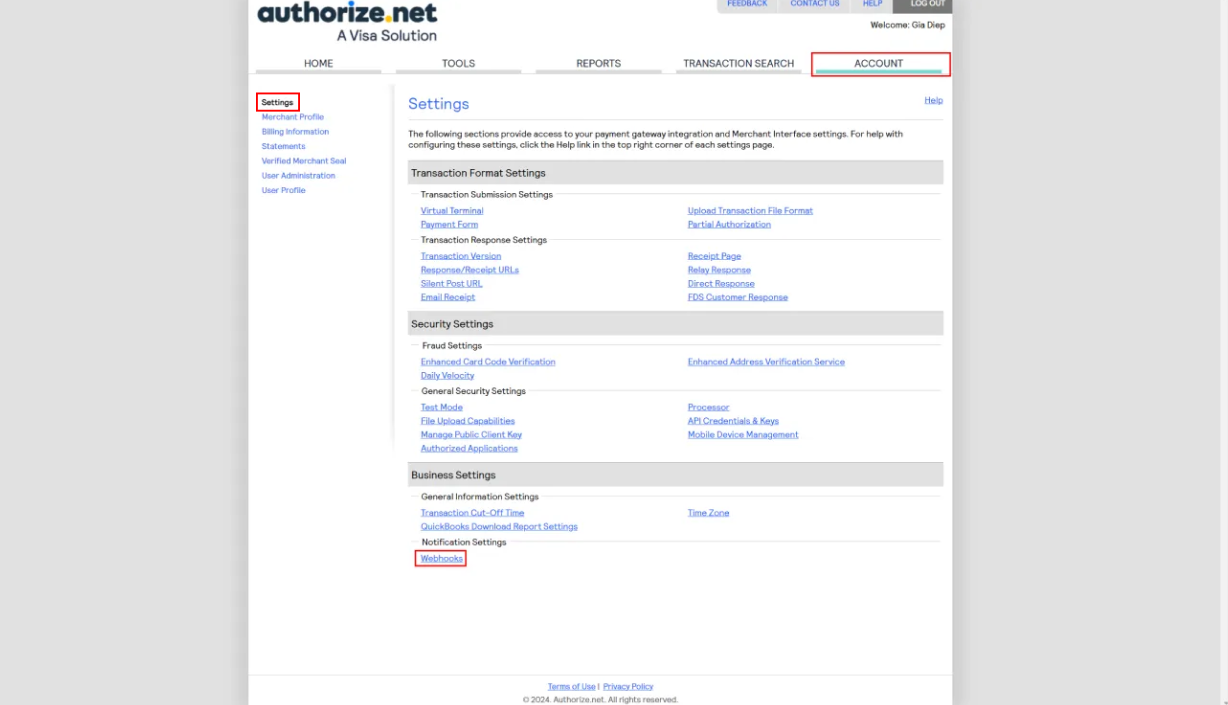
- Navigate to the account settings page and then select webhooks
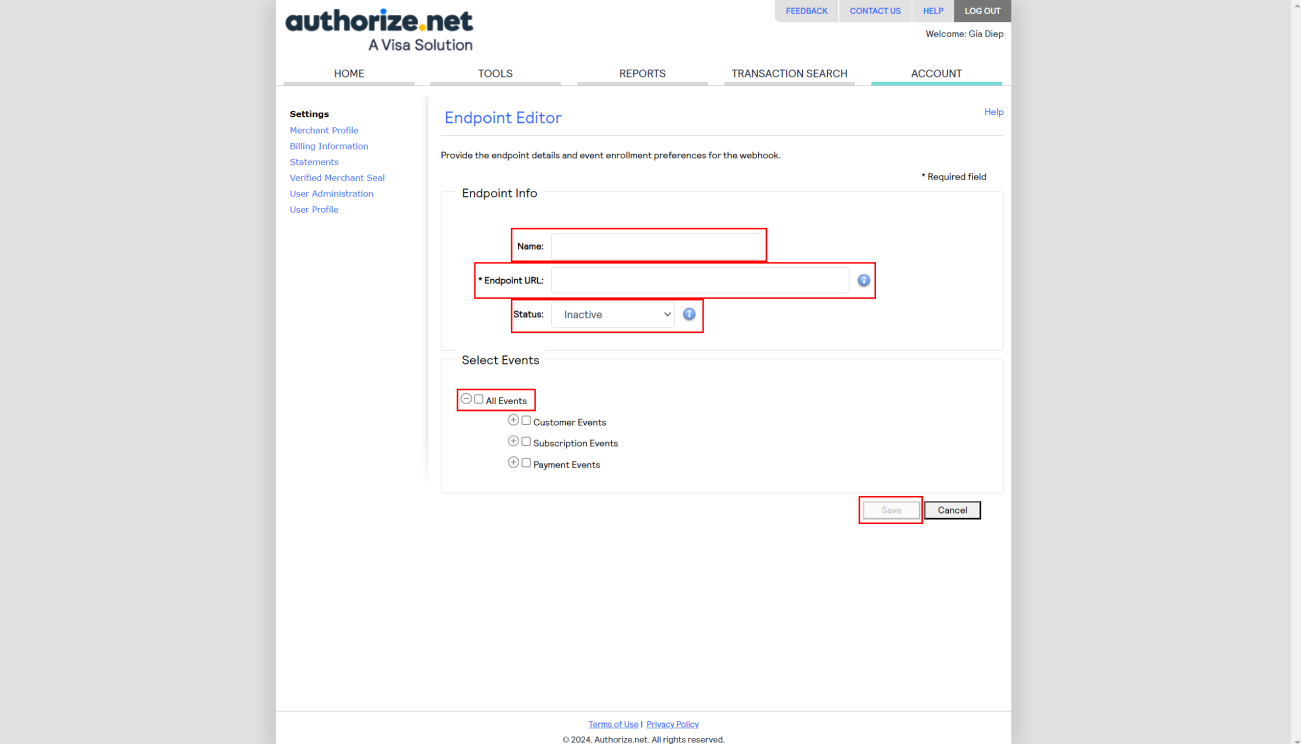
- Fill in the fields with the appropriate information and save the webhook
2) Enhanced Card Code Filter
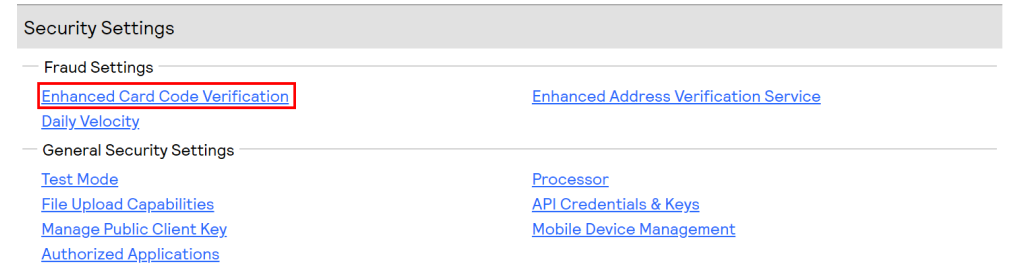
- Navigate to the Account page and then select Enhanced Card Code Verification
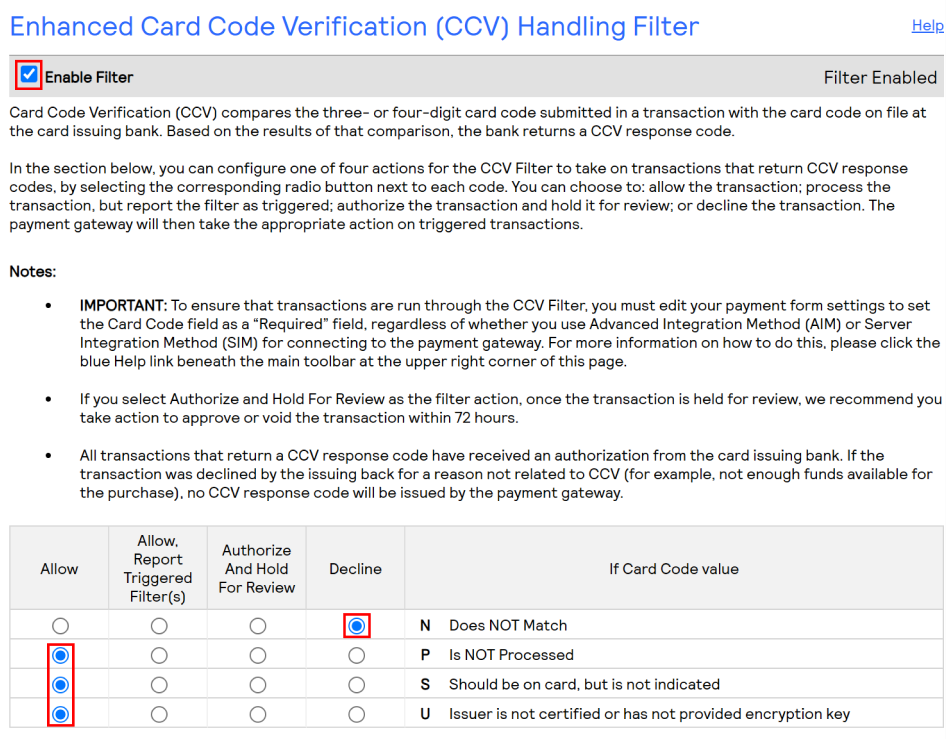
- Ensure that the filter is enabled and the filter settings match the screenshot below
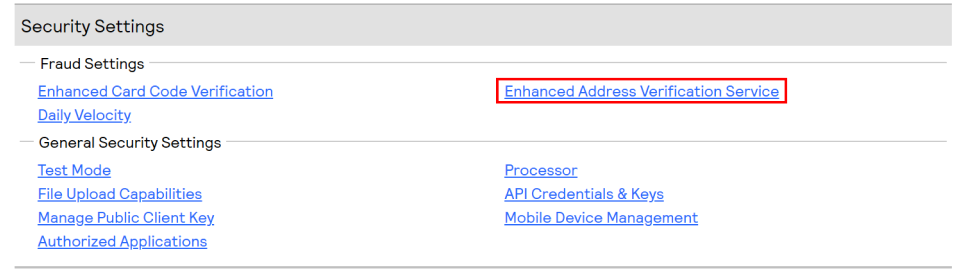
3) Enhanced Address Verification Service
- Navigate to the Account page and then select Enhanced Address Verification Service
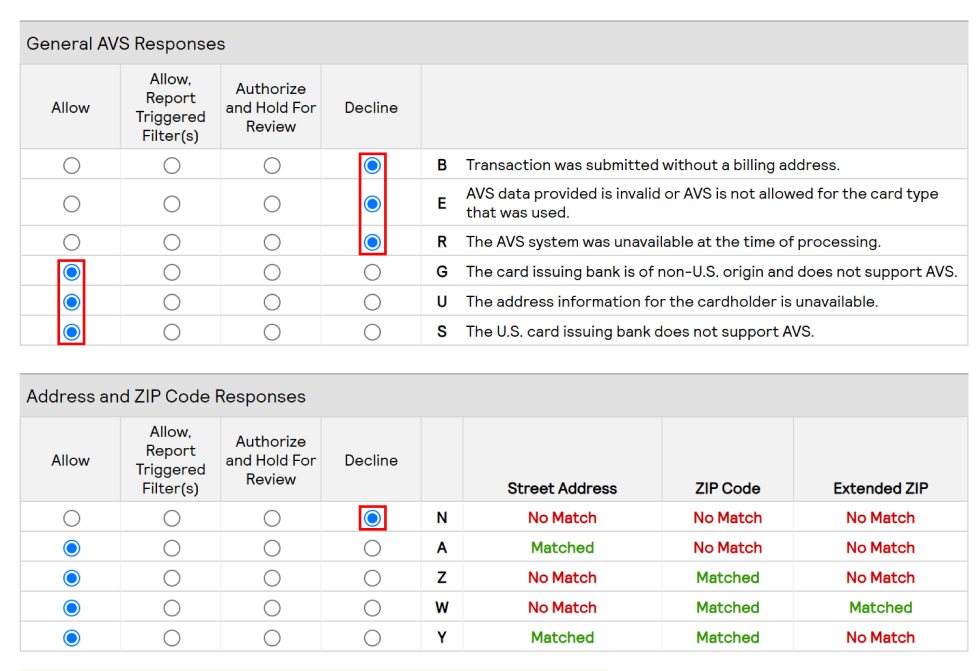
- Ensure that the Enhanced AVS settings match the screenshot below
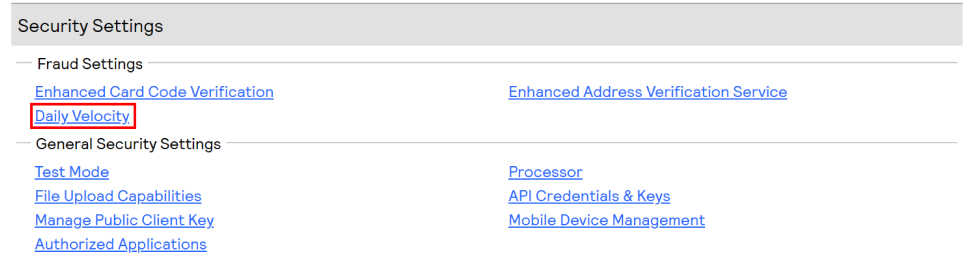
4) Daily Velocity Filter
- Navigate to the Account page and then select Daily Velocity
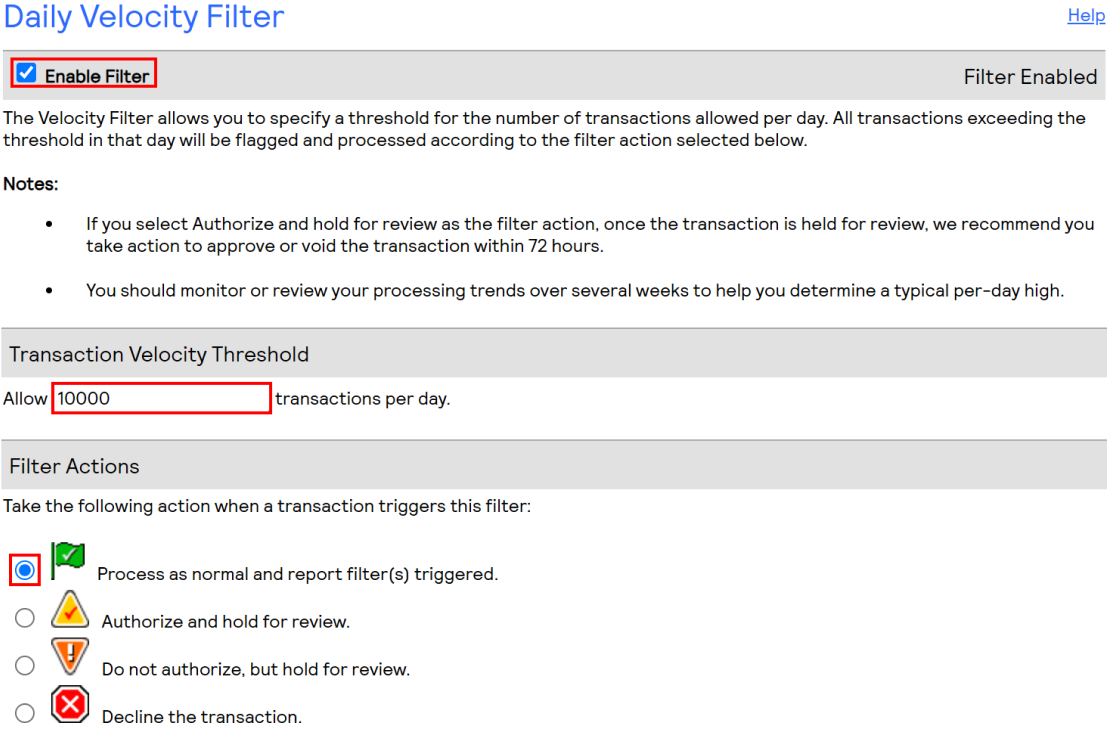
- Scroll to the Daily Velocity Filter and ensure:
- The filter is enabled
- Set the Transaction Velocity Threshold to 10000
- Filter Actions is set to “Process as normal and report filter(s) triggered.”
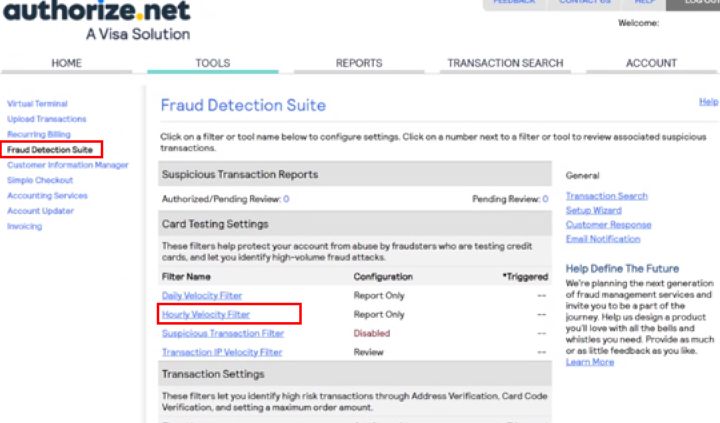
5) Hourly Velocity Filter
- Navigate to the Tools page, select Fraud Detection Suite then select Hourly Velocity Filter
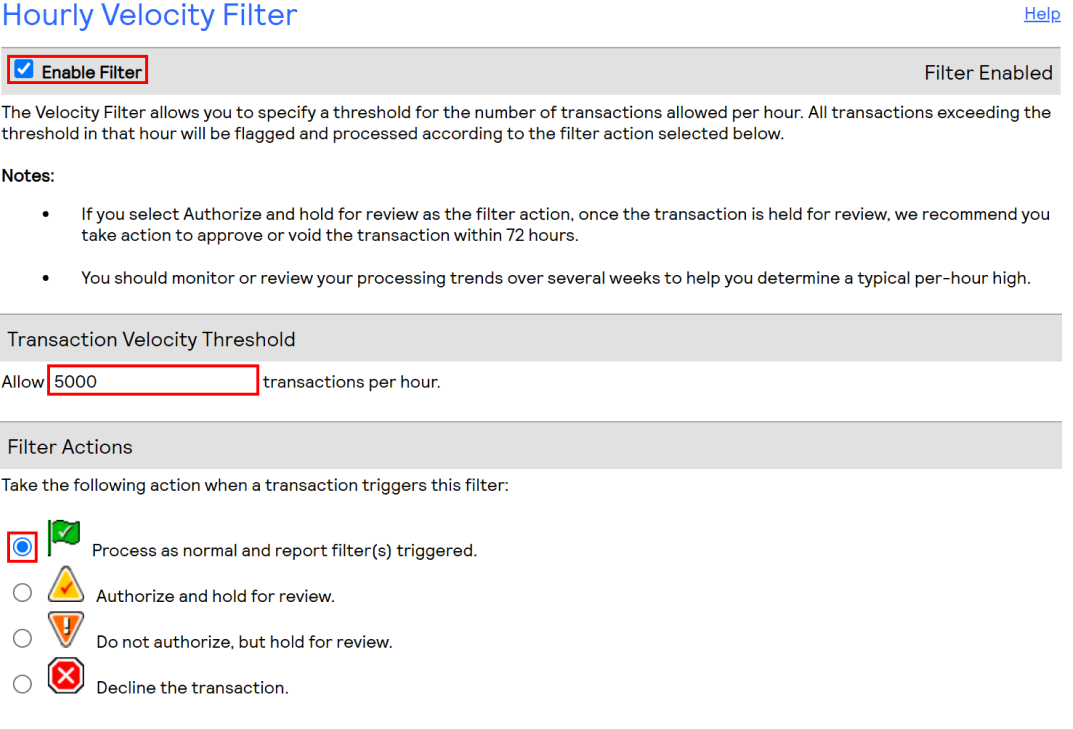
- Scroll to the Hourly Velocity Filter and ensure:
- The filter is enabled
- Set the Transaction Velocity Threshold to 5000, note if you have more than 5000 members this should be increased
- Filter Actions is set to “Process as normal and report filter(s) triggered.”
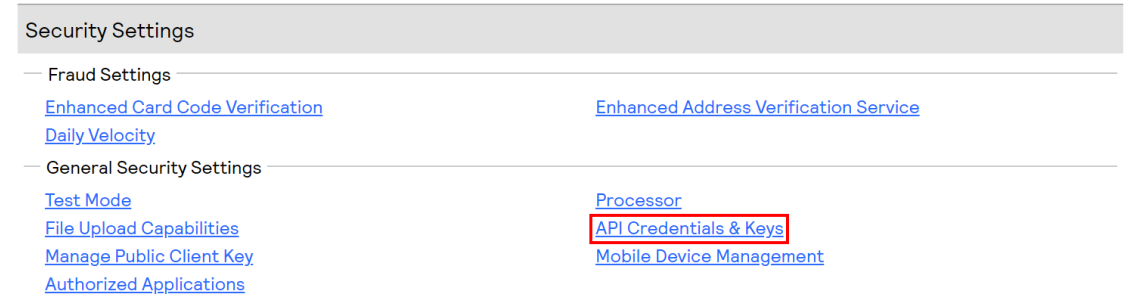
6) API Credentials & Keys
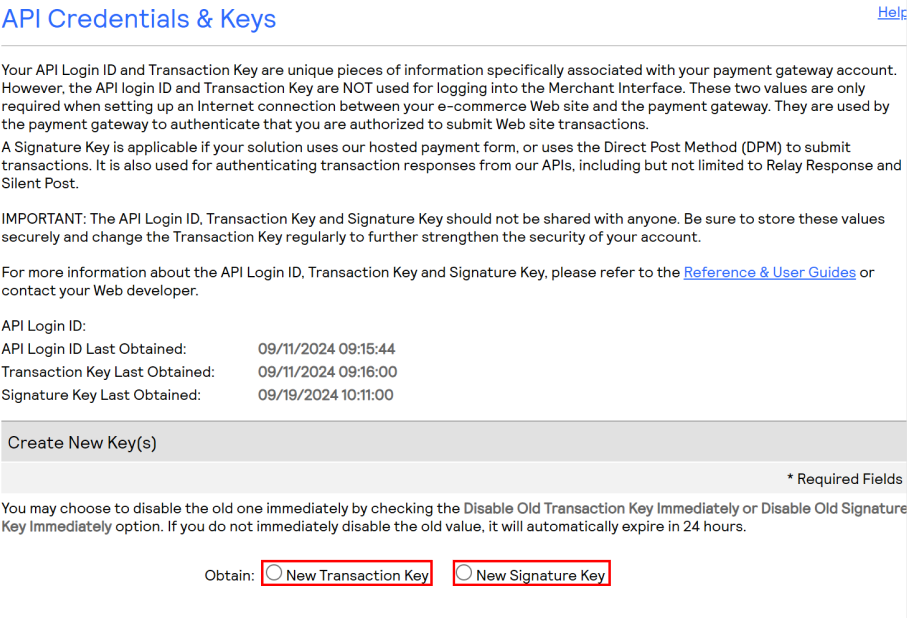
- Navigate to the Account page and then select API Credentials & Keys
- Select to obtain a Transaction Key & a Signature Key, forward the returned values to the Ascend team
7) Transaction IP Velocity Filter
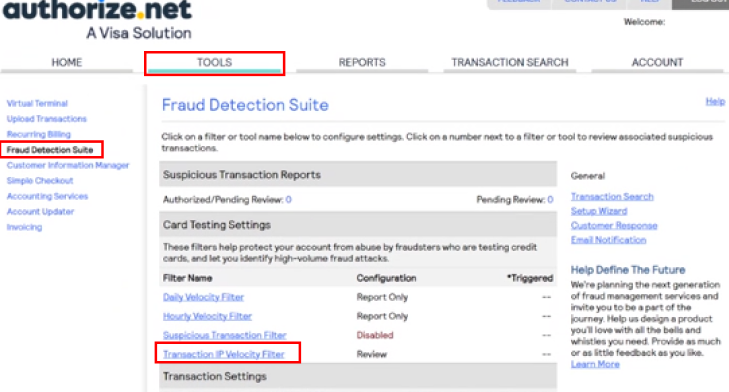
- Navigate to the Tools page, select Fraud Detection Suite then select Transaction IP Velocity Filter
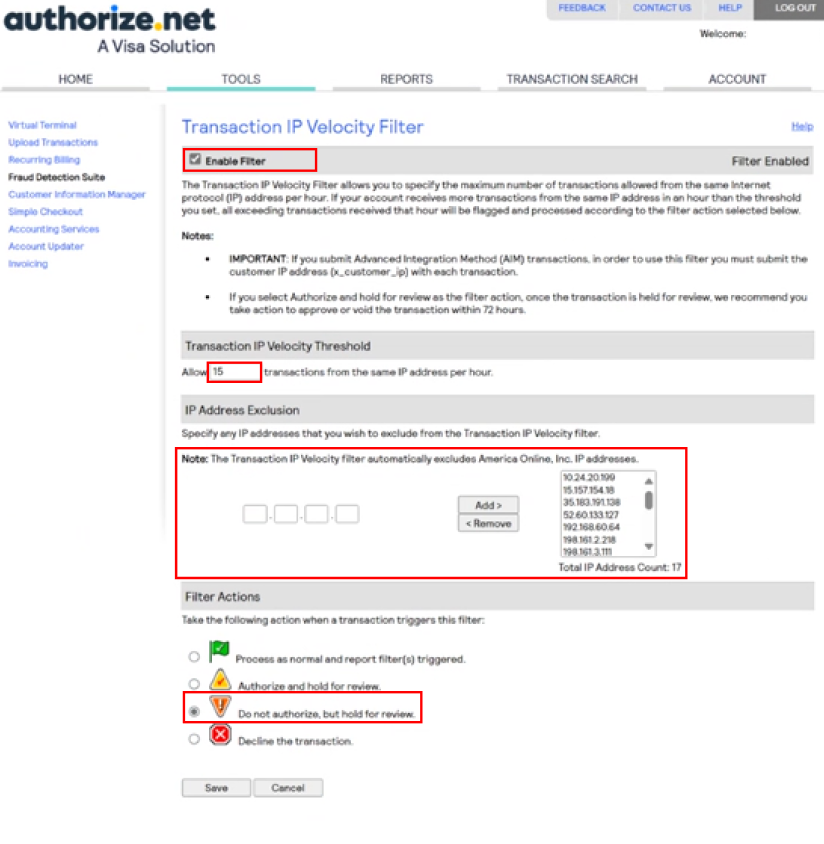
- Enable the filter
- Insert 15 as the Transaction IP Velocity Threshold
- Select Do not authorize, but hold for review under filter actions
- Add the following IP’s to the IP Address Exclusion
- 15.157.154.18
- 35.183.191.138
- 52.60.133.127

Comments
0 comments
Article is closed for comments.